How Solo Real Estate Agents Can Build a Daily Follow-Up Rhythm
A simple daily rhythm helps solo agents know who to contact, what to review, and what action deserves attention first.
Quick answer
A daily follow-up rhythm starts with one clean list of people and tasks that need attention today, then turns each item into a reviewed next action.
Most solo real estate agents do not lose opportunities because they forgot how to sell. They lose momentum because the next follow-up is scattered across texts, email, notes, calendar reminders, and memory.
Start with one daily review
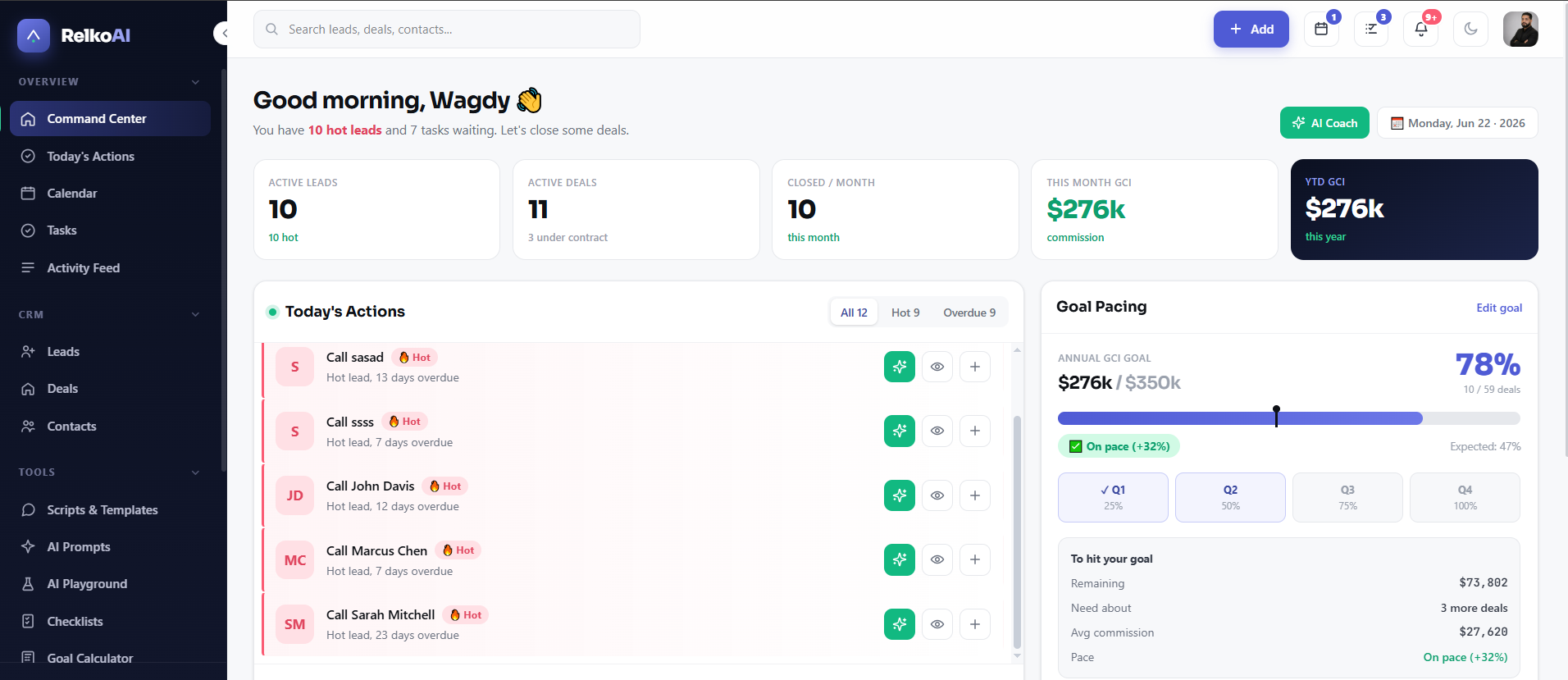
The most useful habit is a short daily review. Look at leads, contacts, deals, and tasks through one question: who needs attention today? That question is narrower than "what is in my CRM" and easier to act on before the day gets noisy.
- Check overdue follow-ups first.
- Review hot leads with recent activity.
- Look at active deals with upcoming deadlines.
- Choose the next task for each important relationship.
Turn context into next actions
A good follow-up system does not just remind you that a person exists. It helps you decide what to do next: call, send a recap, prepare a CMA, check financing status, or schedule a showing conversation.
Daily consistency beats occasional database cleanup.
RelkoAI is built around this kind of review-first workflow. The system can help surface the next action, but the agent still reviews the context and decides what to use.
Key takeaways
- Start with today, not the entire database.
- Group leads, clients, tasks, and deals by next action.
- Review each suggested follow-up before using it.
Frequently asked questions
How often should a solo agent review follow-ups?
A short daily review is usually better than a long weekly cleanup because it keeps hot conversations visible.
Should every lead get the same follow-up?
No. Use the lead stage, intent, and last conversation to choose the right next step.
Build a clearer follow-up habit.
RelkoAI helps solo real estate agents organize leads, deals, tasks, and today's next actions in one simple workspace.
Related articles
How to Turn Scattered Tasks Into a Simple Daily Action List
A daily action list helps agents move from scattered reminders to a clear set of next steps.
Read articleHow AI Can Help Agents Write Better Follow-Up Without Replacing Judgment
AI can help with wording, structure, and options, but the agent should stay in control of what gets used.
Read articleWhat to Do When a Hot Lead Stops Responding
A quiet hot lead does not always mean a lost lead. It often means the next follow-up needs a better reason.
Read article